
Fisch is one of the most popular games on Roblox, where players can join either public or private servers to play together. No matter which type of server you choose, interacting with other players is an important part of the game. You may need help, want to give guidance, or simply chat with others while playing.
To make conversations more enjoyable and expressive, Fisch allows players to use emotes. Emotes are animations that your character performs, helping you communicate emotions or reactions without typing long messages. However, many players find it confusing because Fisch Script does not provide a visible emote button on the main screen.
Instead of a button, emotes in Fisch are activated using special text commands. When you type the correct command, your character immediately performs the selected emote animation inside the game.
If you want to use emotes in Fisch but are unsure how they work, there’s no need to worry. This guide will walk you through everything step by step in a simple and clear way.
Now, let’s get started and learn how to use emotes in Fisch.
Table of Contents
Roblox Fisch Emote Guide
In Fisch, players use text commands to perform different character animations, also known as emotes. As mentioned earlier, there is no separate emote button in the game. Instead, all emotes are activated through chat commands, and every emote command must start with the “/” symbol.
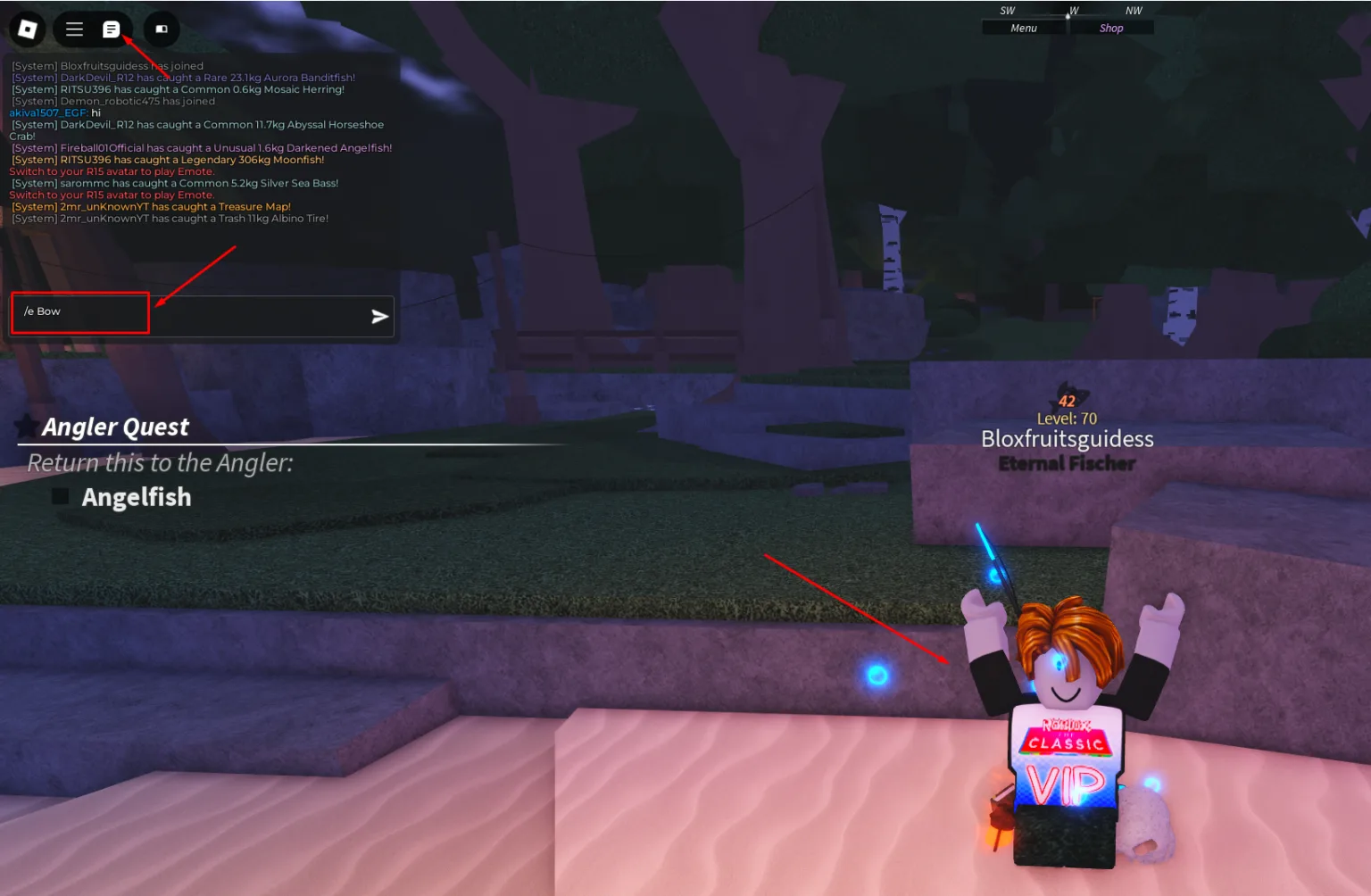
To use an emote in Fisch, press the / key on your keyboard to open the chat box. After the chat window appears, type the emote command you want to use and press Enter. Your character will immediately perform the selected animation in the game.
Before moving forward, it’s important to know that not all emotes are free. While many emotes are available to everyone, some special emotes are locked behind a Gamepass and can only be used after purchasing it.
Complete List of Fisch Emote Commands (2026)
Below is a full list of emote commands that you can use in Fisch to trigger different animations.
Free (Default) Emote Commands in Fisch
These emotes are available to all players and do not require any purchase:
/e Cheer/e Bow/e Ballin/e Laugh/e Wave/e Sit(also works with/e sit1to/e sit10)/e Facepalm/e Love/e Crossed/e Dance(also/e dance2,/e dance3)/e No/e Showcase(variants:/e Showcase1,/e Showcase2,/e Showcase3,/e Showcase4)/e Point/e Crown/e Yes/e Handstand/e Flex/e Lean/e Pumpkin/e Clap/e Pray/e Sleep
Gamepass Emotes in Fisch
These emotes are locked and can only be used after buying the Fisch Gamepass:
/e Snow/e Line/e Floss/e Monkey/e Caramell/e Billy/e Grind/e Mystery/e Shuffle/e Fresh/e Pushups/e Rain
That’s everything you need to know about using emotes in Fisch. Simply open the chat, type the correct command, and enjoy expressing your character with fun animations while playing.
Frequently Asked Questions (FAQs)
How do I open the emote chat in Fisch?
To open the emote chat, press the / key on your keyboard while playing Fisch. This will open the chat window where you can type emote commands.
Are emotes available on both public and private servers?
Yes, emotes work the same way on public and private servers. You can use them anytime as long as chat is enabled.
Do emotes affect gameplay or give any advantage?
No, emotes are only for fun and expression. They do not improve gameplay or provide any competitive advantage.
Why are some emotes not working for me?
If an emote does not work, it may be locked behind a Gamepass or the command may be typed incorrectly. Make sure the spelling and format are correct.
Can I stop an emote once it starts?
Yes, most emotes can be stopped by moving your character, jumping, or entering another command in the chat.
Conclusion
Emotes in Fisch are a fun way to express yourself and interact with other players without typing long messages. Even though there is no emote button on the screen, using chat commands makes it easy to trigger animations once you know how it works.
With many free emotes available and additional options unlocked through the Gamepass, players have plenty of ways to make their gameplay more enjoyable. Simply open the chat, enter the correct command, and bring your character to life while playing Fisch.